

Table clip in Chrome with OffiDocs

Ad
DESCRIPTION
A simple extension that helps to take text from HTML tables in a convenient csv-like format.
How to use: 1. Right click on the HTML table 2. Select the item in the context menu "Get text".
3. Done - the data is stored in your clipboard (press CTRL+C to paste it).
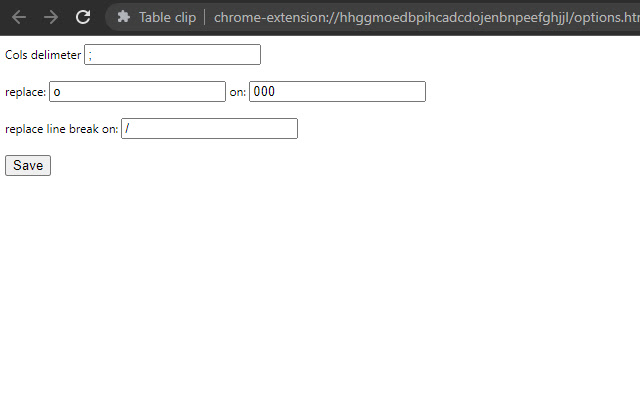
Extension options: 1. delimeter: which character to use to separate table columns (default is ";") 2. replace on: replaces the text in "replace" with the text in "on" when saved to the clipboard.
3. replace line break on: what to replace line breaks in the table (within one cell).
Additional Information:
- Offered by benstiller68
- Average rating : 0 stars (hated it)
- Developer This email address is being protected from spambots. You need JavaScript enabled to view it.
Table clip web extension integrated with the OffiDocs Chromium online


